15 Development Tools and AI Transparency
This appendix documents the tools used to build and maintain the Public Health Automation Clinic, including the role of AI in its development. Transparency about how this resource is created is central to the clinic’s values.
15.1 The Core Commitment
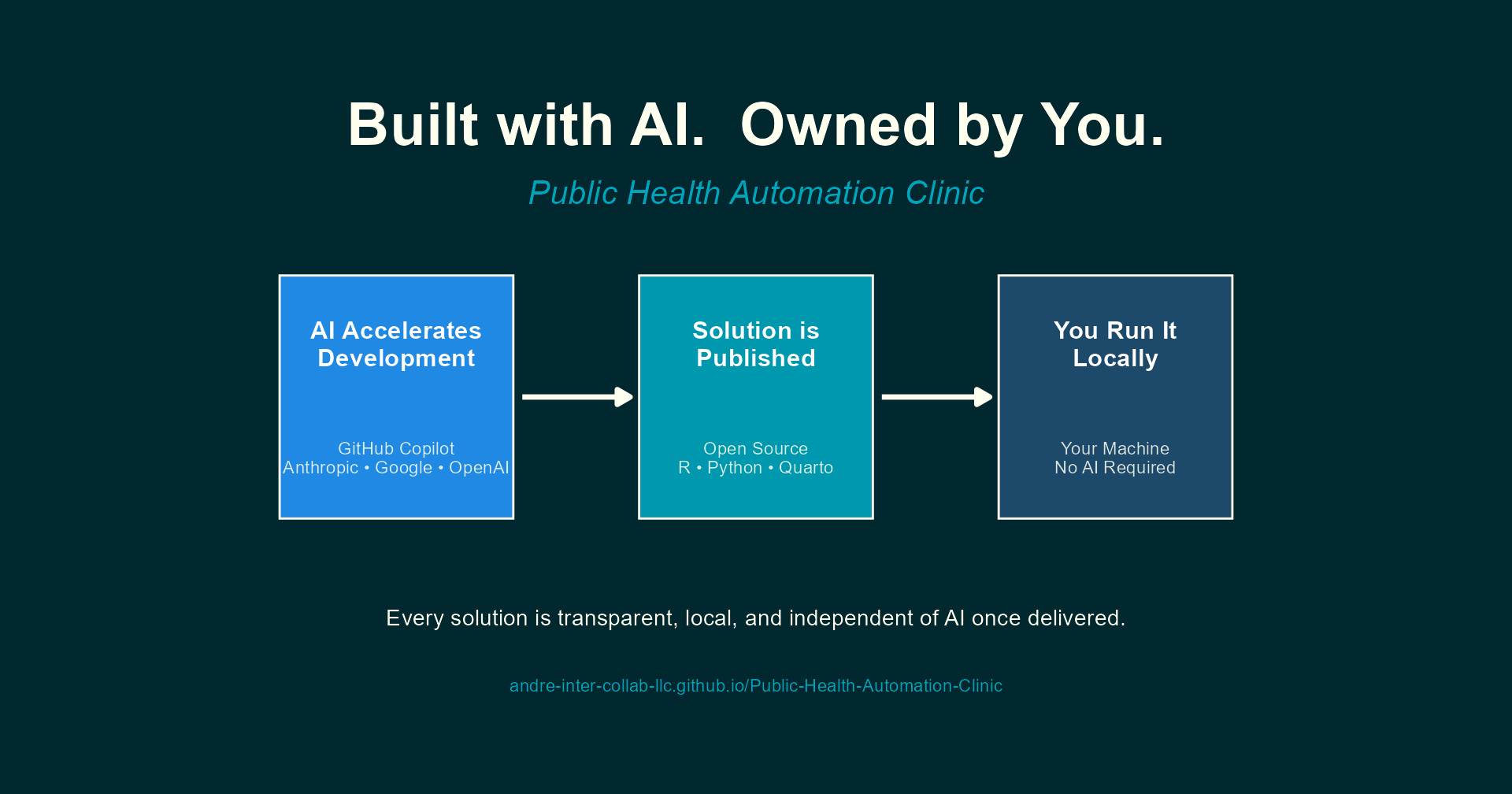
The Public Health Automation Clinic uses AI tools to rapidly develop solutions that public health professionals can run deterministically on a local computer or server, without needing any AI tools going forward. Every script, template, and workflow published in this book runs locally on standard hardware using open source tools. No AI subscription, cloud API, or large language model is required to execute any solution.
AI accelerates the authoring and development process; it does not become a dependency for the end user.
The solutions developed here are based on real experience and real needs in the field of public health. AI coding tools are used to package and refine that expertise into working, well-documented code. The domain knowledge, problem framing, and quality standards come from years of applied work in epidemiology and public health informatics.
This distinction matters. Many public health agencies still prohibit staff from using AI tools directly. Because every solution published here is openly available as standard R or Python code, professionals in those agencies can use the outputs without any AI involvement. The code is public, inspectable, and runs entirely on your machine.
The solutions in this book are designed to be fully transparent, fully local, and fully independent of AI once delivered. If you can run R or Python on your machine, you can run every solution published here. All software required to access or use this resource is free and open source.
15.2 Data Sovereignty
This project supports and strengthens the principle of data sovereignty. No data needs to leave your computer or network to use any solution published here. Every script processes data locally, and no solution phones home, uploads telemetry, or requires a cloud connection to function.
For public health agencies handling sensitive surveillance data, protected health information, or data subject to jurisdictional data governance policies, this is not a nice-to-have; it is a requirement. The local-first design ensures that adopting these tools introduces no new data-sharing risks.
All software needed to run the solutions (R, Python, RStudio, Quarto, and their dependencies) is free, open source, and installable without cloud accounts or subscription services.
15.3 Sustainability and Reliability
A deterministic script or rule that runs reliably on a local device is far more sustainable and reliable than having a large language model process data in the cloud. Cloud-based AI introduces dependencies on network availability, API pricing, rate limits, model versioning, and third-party data handling policies. Any of these can change without notice, breaking workflows that public health teams depend on. LLMs and generative AI also require an enormous amount of compute to generate content and code, far more than most laptops can provide. That computational cost is ongoing every time the model is invoked, making it an impractical foundation for routine, recurring tasks.
A local R or Python script, by contrast, produces the same output every time it runs against the same input. It does not require an internet connection. It does not incur per-query costs. It does not change behavior because a model was updated. It can be version-controlled, tested, audited, and handed to a colleague who can run it years later with predictable results.
That said, it is clear that LLMs are often better than most humans at writing that initial deterministic code. AI excels at rapidly scaffolding scripts, translating requirements into working functions, and generating boilerplate that would take a developer much longer to write from scratch. The key insight is to use AI where it is strongest (generating code quickly) and then deploy the result where deterministic tools are strongest (running reliably, locally, indefinitely).
This is the model the Automation Clinic follows: AI accelerates the development of solutions that, once delivered, are entirely self-sufficient.
15.4 Recommended Software for Using This Resource
To run the solutions published in this book, you will need a small set of free, open source software. Nothing here requires a paid license or cloud subscription.
15.4.1 Essential
| Software | Purpose | Download |
|---|---|---|
| R | Core language for most solutions | cloud.r-project.org |
| An IDE (see recommendations below) | Writing, running, and debugging code | See below |
R is the primary language used across the clinic’s solutions. Most scripts, reports, and workflows are written in R and require it to run.
15.4.2 Recommended IDEs
Any of the following integrated development environments will work well. All three are free:
| IDE | Best For | Download |
|---|---|---|
| RStudio Desktop | R-focused work; the most widely used IDE for R among public health professionals | posit.co/download/rstudio-desktop |
| Positron | A next-generation IDE from Posit with native support for both R and Python | positron.posit.co |
| VS Code | A general-purpose editor with R and Python support via extensions; ideal if you already use it for other work | code.visualstudio.com |
If you are new to programming or primarily working in R, RStudio Desktop is the most straightforward starting point. If you work in both R and Python, Positron or VS Code may be a better fit.
15.4.3 Used in Some Solutions
| Software | Purpose | Download |
|---|---|---|
| Python | Used in some solutions, particularly for data quality checks and file operations | python.org/downloads |
| Quarto | Required for solutions that produce formatted reports or documents | quarto.org/docs/get-started |
| Git | Version control; useful for downloading and tracking updates to solutions | git-scm.com |
At minimum, install R and RStudio Desktop. This combination is sufficient to run the majority of solutions published in this book. Install Python, Quarto, or Git only when a specific solution requires them; each solution’s documentation will note its dependencies.
15.5 Technology Stack
The following tools are used to build and maintain this book and develop its solutions:
| Tool | Purpose | Details |
|---|---|---|
| Quarto | Document publishing system | Renders the book to HTML for GitHub Pages |
| VS Code | Code editor | Primary development environment |
| GitHub Copilot | AI-assisted development | Content drafting, code generation, editing |
| Git / GitHub | Version control and hosting | Source code management and public repository |
| GitHub Actions | Automated publishing | Deploys book to GitHub Pages on push to main |
| Mermaid | Diagram generation | Workflow and process diagrams (built into Quarto) |
| R / Python | Solution development | Core languages for automation solutions |
15.6 AI-Assisted Development
GitHub Copilot is used throughout the development of this book and its solutions for:
- Content development: Drafting, structuring, and refining chapter content and instructional material
- Code generation: Writing R and Python scripts, Mermaid diagrams, and configuration files
- Problem translation: Converting vague workflow descriptions into structured automation specifications
- Quality review: Checking consistency across chapters, identifying gaps, and improving clarity
- Rapid prototyping: Quickly producing working solution drafts that are then reviewed and refined
15.6.1 LLM Models Used
GitHub Copilot provides access to large language models from multiple providers during development:
| Provider | Primary Use |
|---|---|
| Anthropic | Complex analysis, long-form content development |
| Research, cross-referencing, fact-checking | |
| OpenAI | Code generation, quick edits, formatting |
Specific models evolve frequently. For the current list of available models, see the GitHub Copilot model comparison.
15.6.2 Copilot Features Used
- Chat: Interactive development sessions for complex content and solution design
- Inline suggestions: Real-time code and prose completion during editing
- Agent mode: Multi-step tasks including file creation, refactoring, and terminal operations
15.6.3 Deep Research Tools
Extended research and analysis is supported by deep research capabilities in:
- Google Gemini: Literature review, public health context research, and tool landscape analysis
- OpenAI ChatGPT: Deep research mode for exploring automation patterns, public health data standards, and implementation approaches
These tools complement GitHub Copilot by providing broader research context beyond the immediate codebase.
15.6.4 Project Context for AI
A detailed project context file (.github/copilot-instructions.md) provides Copilot with specifics about the repository, including:
- Book structure and chapter organization
- Content style guidelines and deduplication rules
- Public health terminology and conventions
- Privacy rules (e.g., keeping
admin/content local-only) - Branding and formatting standards
This context file ensures that AI-generated contributions are consistent with the book’s voice, scope, and technical standards.
15.7 Why This Transparency Matters
Public health professionals deserve to know how the tools they rely on are built. AI-assisted development raises legitimate questions:
- Can I trust the output? Every solution is reviewed for correctness before publication. AI drafts are starting points, not final products.
- Will I need AI to use this? No. Solutions are standard R and Python scripts. They require no AI tools to execute.
- Is the content original? AI assists with drafting and refinement, but the domain expertise, problem framing, and quality assurance come from the author’s experience in public health informatics and epidemiology.
- What about data privacy? No real patient data, protected health information, or identifiable submission details are shared with AI tools. All examples are anonymized and generalized.
Using AI to build automation tools for public health is analogous to using a calculator for arithmetic. The calculator does not replace the understanding of what to calculate or why; it accelerates the mechanical work. Similarly, AI accelerates the writing of scripts and documentation while the public health logic, context, and quality standards remain human responsibilities.
15.8 What AI Does Not Replace
AI tools are powerful accelerators, but they do not replace:
- Domain expertise: Understanding which public health workflows need automation, and why, requires years of field experience
- Problem framing: Translating a vague “this takes too long” into a clear automation specification is a human skill
- Quality assurance: Every script must be tested against realistic data and edge cases
- Ethical judgment: Decisions about data privacy, anonymization, and appropriate use require human oversight
- Community relationships: Building trust with submitters and understanding their real working conditions cannot be automated
15.10 Local Development Setup
For contributors who want to modify or extend this book:
15.10.1 Prerequisites
- Install Quarto: Download from quarto.org
- Install VS Code: Download from code.visualstudio.com
- Install Git: Download from git-scm.com
- Install the Quarto VS Code Extension: Search “Quarto” in VS Code extensions
15.10.2 Clone and Preview
git clone https://github.com/andre-inter-collab-llc/Public-Health-Automation-Clinic.git
cd Public-Health-Automation-Clinic
quarto preview
This starts a local server and opens the book in your browser. Changes to .qmd files automatically refresh.
15.10.3 Render the Book
quarto renderOutput is generated in the _site/ directory.
15.11 Repository Structure
Public-Health-Automation-Clinic/
├── _quarto.yml               # Book configuration (chapters, output, theme)
├── _brand.yml                 # Intersect Collaborations branding
├── index.qmd                  # Book landing page / preface
├── chapters/                  # Book chapters (.qmd files)
│   ├── 01-automation-intake.qmd
│   ├── 02-desktop-automation.qmd
│   ├── ...
│   └── D-development-tools.qmd
├── assets/
│   ├── branding/              # Logos, icons, images
│   └── styles/                # Custom SCSS
├── .github/
│   ├── copilot-instructions.md  # AI assistant project context
│   └── workflows/
│       └── publish.yml        # GitHub Actions deployment
└── _site/                     # Generated output (gitignored)